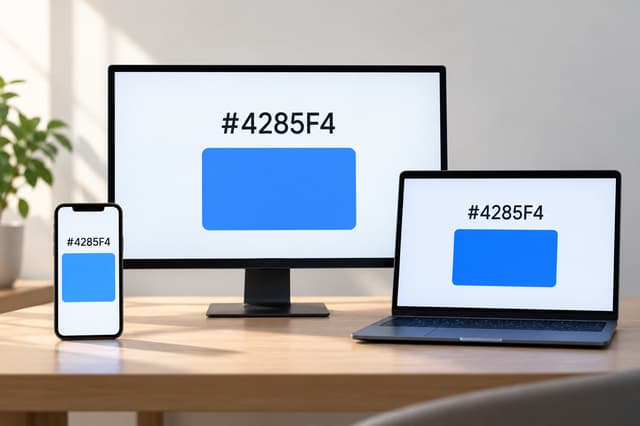
The code can match while the color does not
Put the same green, say #22C55E, on a laptop and a phone and hold the screens next to each other. One may look brighter. One may look cooler. The green on one screen may seem noticeably richer. Check the code and it is still #22C55E on both.
It seems as if an exact color code should produce an exact color everywhere. The catch is that the code and the screen are describing two different things.
In CSS, a HEX color represents a position in the sRGB color space. #22C55E means red 34, green 197 and blue 94 in sRGB. It does not tell every physical display exactly how much light to produce.
Between that number and the color you see sits the operating system, the browser, a display profile, the screen itself and, finally, your eyes.
A HEX code is not a hardware instruction
The web needs a way to describe color without knowing which screen will display it. sRGB provides that common reference. Familiar CSS formats such as HEX and rgb() normally describe colors within that space.
A browser therefore does not read #22C55E as an instruction to drive every green subpixel by the same physical amount. It reads it as a target color.
The screen then has to reproduce that target with its own panel, electronics and light sources. Two displays can be given the same target while producing slightly different results.
Color management tries to keep screens in agreement
Computers use color management to reduce those differences. An ICC display profile describes how a particular display reproduces color. Software that understands color profiles can use that information when translating an sRGB color for the screen.
The International Color Consortium describes this basic process as converting colors from their source color space into the color space of the display using profiles that describe both.
When the display profile is accurate and the screen is behaving as expected, two devices can come surprisingly close. Problems begin when the profile is wrong, outdated, missing or ignored, or when the screen settings no longer match the conditions under which the profile was created.
Calibration and profiling are related, but they are not the same thing. Calibration adjusts a display toward a known state. Profiling measures how that display actually behaves so software can account for it.
Two screens are rarely identical
Displays differ even before software gets involved. They may use different panel technologies, backlights, brightness levels, white points and contrast settings. Screens also change gradually as they age.
Those differences can be difficult to notice until two devices are placed next to each other. A gray that looks neutral on one can look slightly warm on another. A green can seem stronger. Dark details can disappear sooner on one display than on the other.
Apple's display calibration guidance also points to factors such as ambient light, viewing angle and display age. These details matter much more in photography, video and design work, where small color differences can affect the final result.
Display P3 does not change the meaning of a HEX code
Wide gamut displays often cause confusion here.
Display P3 can represent a wider range of colors than sRGB. Some of those colors are more saturated than anything sRGB can describe. But a normal HEX color does not suddenly become a Display P3 color just because it appears on a P3 capable screen.
CSS HEX notation still represents sRGB. A properly color managed wide gamut display should reproduce that sRGB color appropriately instead of stretching it across its larger gamut.
CSS has separate syntax when a designer actually wants to request a Display P3 color. For example, color(display-p3 1 0 0) describes a color in Display P3 rather than sRGB.
That distinction matters because Display P3 gives the web access to colors that ordinary HEX notation cannot represent. It does not change what an existing HEX code means.
Your phone may be changing the image deliberately
Not every mismatch is caused by inaccurate hardware. Sometimes a device is changing its display on purpose.
Apple's True Tone uses ambient light information to adjust the color and intensity of the display. Night Shift moves the screen toward warmer colors. Phones, monitors and televisions from other manufacturers offer similar reading modes, eye comfort modes and vivid display settings.
Those features do not need to change the HEX value on a website. The page can still contain #22C55E while the screen presents it differently.
Brightness can have a similar effect on perception. Put a very bright phone next to a dim laptop and the brighter display can make the same color appear stronger, even when the underlying color values match.
The light around the screen matters too
Color is not judged in isolation. Your eyes are constantly adapting to the lighting around you.
The International Color Consortium notes that the viewing environment affects the appearance of a displayed image. Daylight from a window, warm indoor lighting, reflections and a dark room can all influence what you see.
The colors surrounding an object matter as well. The same gray can appear different when placed against a very bright background instead of a dark one, even though the gray itself has not changed.
For a useful comparison between two screens, place them next to each other, use similar brightness levels and turn off features that deliberately change color temperature.
How to find out what is actually different
Start by checking the color value itself. If you are comparing a website on two devices, make sure both are really rendering the same CSS color. The Olivez Color Picker can inspect and convert sRGB HEX, RGB, HSL and HSV values, which helps separate a code difference from a display difference.
| Check | What it tells you |
|---|---|
| HEX or RGB value | Confirms whether both devices are being given the same sRGB color. |
| Brightness and display mode | Vivid, HDR and other modes can change how the image appears. |
| True Tone, Night Shift or similar settings | These can intentionally change the display's color balance. |
| Display profile and calibration | A poor profile or inaccurate calibration can shift color reproduction. |
| Room lighting and viewing angle | The environment can change how the same color is perceived. |
For ordinary web design, sRGB remains a practical common reference. It is still worth checking important interfaces on several real devices because that is how people will actually experience them.
For work where color accuracy matters, a calibrated and profiled display becomes much more important. Adaptive display features should also be disabled while judging color.
The number can be exact even when the screens disagree
#22C55E is not an approximate instruction. It identifies a specific color in sRGB.
What the code cannot control is the entire system displaying it. Different screens have different hardware, settings and profiles. They are viewed at different brightness levels and under different lighting.
So when the same HEX code looks different on two devices, the code may be doing exactly what it is supposed to do. The difference can begin after the color value has already been defined.